The Etiquette of Social Media at Picnics: When to Put the Phone Away
· Yasmine Taljaard

I’ve hosted enough park picnics to know the moment the vibe dips: blankets are down, someone opens the strawberries, and half the group vanishes into their screens. I’ve also been the one filming a perfect cheese pull while the kids release the kite without me. Once I set a few clear phone rules, our picnics felt warmer, funnier, and less staged. Here’s the playbook I use — practical, polite, and easy to follow — so you enjoy the day and still come home with a few great photos.
Decide The “Phone-On” And “Phone-Off” Windows Before You Unpack
Uncertainty breeds bad habits. If everyone knows when it’s fine to snap photos and when the phones go face-down, no one has to police the group mid-bite. I set two short windows: five minutes right after setup for photos, and three minutes before we pack up for any last shots.
Say it out loud as you spread the blanket: “Let’s do five minutes of pics, then phones face down until dessert.” Clear beats hinting every time.
Action today: Announce two exact phone windows at the start — one right after setup, one before cleanup — and keep them short.
Make A Low-Tech Photo Plan So You’re Not Filming All Afternoon
Chasing the “perfect” shot turns a picnic into a mini studio. Pick a single angle and one person to shoot during the window. Then everybody passes the phone to get in the frame, and you’re done.
Step-By-Step: A 5-Minute Photo Sprint
- Choose one spot with clean light — open shade from a tree or the picnic shelter works best.
- Assign a photographer. They shoot everyone’s phones in a batch for 3-4 quick frames each.
- Grab one candid of the spread, one group shot, and one silly pose. Stop there.
- Turn on airplane mode for the group shot to avoid notifications derailing the flow.
Takeaway: Limit yourself to one angle, one shooter, three shots — then pocket the phone.
Protect People’s Privacy Without Killing The Mood

Not everyone wants to be online, especially kids or friends avoiding public posts. Ask once, early, and treat “no” like weather: you work around it. You don’t need forms or drama — just a simple rule and a sticker system if children are involved.
Quick Consent System For Mixed Groups
- Adults: “I’m taking a few photos — okay to post later? Happy to keep you out or crop.”
- Kids: Parents choose yes/no. Use a bright hair tie or bracelet on a wrist to mark “no social posts.”
- Posting rule: No names, school logos, or house numbers in captions or backgrounds.
Action today: Ask, “Okay to be in photos or prefer not?” before the first shot and honor the answer without comment.
Handle Food And Group Games Phone-Free For Better Conversation
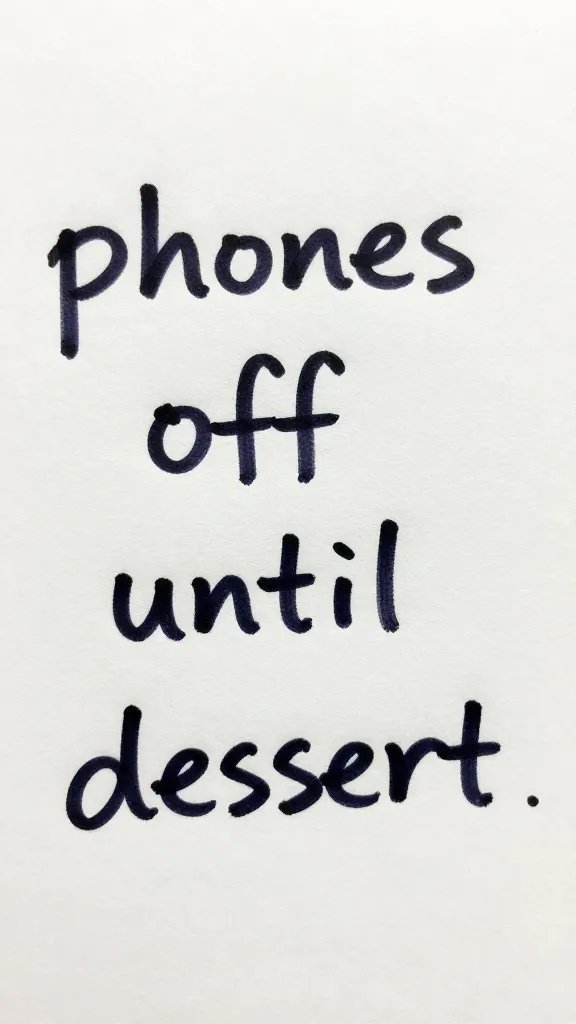
Phones at meals kill eye contact and interrupt stories. I make all shared food moments phone-free: passing plates, toasts, and first bites. Same for group games — cornhole, frisbee, cards — because one person side-texting stalls the energy.
Use a physical cue: a tote or basket in the center of the blanket. When we eat or game, phones go face-down in the basket until the round or course ends.
Takeaway: Declare “phones in the basket” for shared food and games — one clear rule that saves the mood.
Capture Candid Moments Without Becoming The Director

The best picnic photos look like memories, not magazine shoots. Keep the camera chest-high, skip zoom, and shoot in bursts of three while people actually do things — pouring lemonade, tying a kite string, slicing melon.
Warning Signs You’re Overdoing It
- You’re asking for retakes or rearranging plates.
- People pause mid-laugh to look at you.
- Hot food gets cold while you frame the shot.
Action today: Take three quick photos of a real moment, then put the phone away for at least 20 minutes.
Set Boundaries For Livestreams, Work Pings, And Group Chats

Livestreams at picnics are intrusive. No one wants to stumble onto the internet mid-bite. I ban live video outright and allow short clips saved locally during the photo window only.
Work notifications ruin your day faster than ants. I switch to Focus/Do Not Disturb with only my emergency contact allowed through. If you expect one time-sensitive message, tell the group: “I’m waiting on one text about 2 p.m., then I’m off.”
Group chats belong after the picnic. Shoot now, share later. I create a shared album when I get home, then drop the best five photos — not fifty.
Takeaway: No livestreams, turn on Do Not Disturb, and share to a single album after you’re home.
Handle Tagging, Geotags, And Sensitive Locations Thoughtfully

Tagging people or geotagging a secluded spot can cause headaches. Some friends don’t want to be searchable, and small parks get crowded fast after viral location tags.
Keep it simple: no geotags for private yards, small community gardens, or hidden coves. Ask before tagging faces. If the spot is fragile or residential, use a general area name instead of the exact pin.
Action today: Post with a general location label and skip tagging anyone who didn’t say yes.
Frequently Asked Questions
How do I remind friends to put phones away without sounding bossy?
Set the rule cheerfully at the start so you’re not correcting later: “Five minutes for pics, then let’s eat phone-free.” Use a prop like a small basket and make it a game: “Basket time until dessert.” If someone forgets, tap the basket and smile — no lecture, just the cue.
What if someone keeps filming kids who shouldn’t be on social media?
Step in immediately and keep it calm: “These kiddos are no-post — let’s keep them out of frame.” Offer an easy fix, like switching to a back-facing angle or focusing on the food spread. If they keep filming, ask them to stop or move, and loop a host or parent in right away.
Is it rude to ask guests to turn on Do Not Disturb?
It’s respectful, not rude, when framed as a favor to the group: “Let’s hit Do Not Disturb so we’re here for the stories and the snacks.” Give a clear exception for emergencies. Most people appreciate the permission to unplug.
How many photos are “enough” for a picnic post?
Five strong photos tell a better story than a 30-image dump. Aim for one wide group shot, one close-up of food, one candid action, one scenery frame, and one detail (flowers, hands, or a pet). Pick your best five, edit once, and post later from home.
What’s a polite way to handle someone starting a livestream?
Stop it fast and friendly: “No live video today — some of us stay offline. Record a clip and post later if you want.” Offer to film a short non-live clip during the next photo window so they still get content without broadcasting the group.
Conclusion


Picnics feel special when we trade a scroll for a story and a like for a laugh. Pick your two photo windows, park the phones during food and games, and share thoughtfully afterward. If you want a next step, draft a one-sentence “picnic phone plan” and save it in your notes so you can host with confidence this weekend.
Leave a Reply